
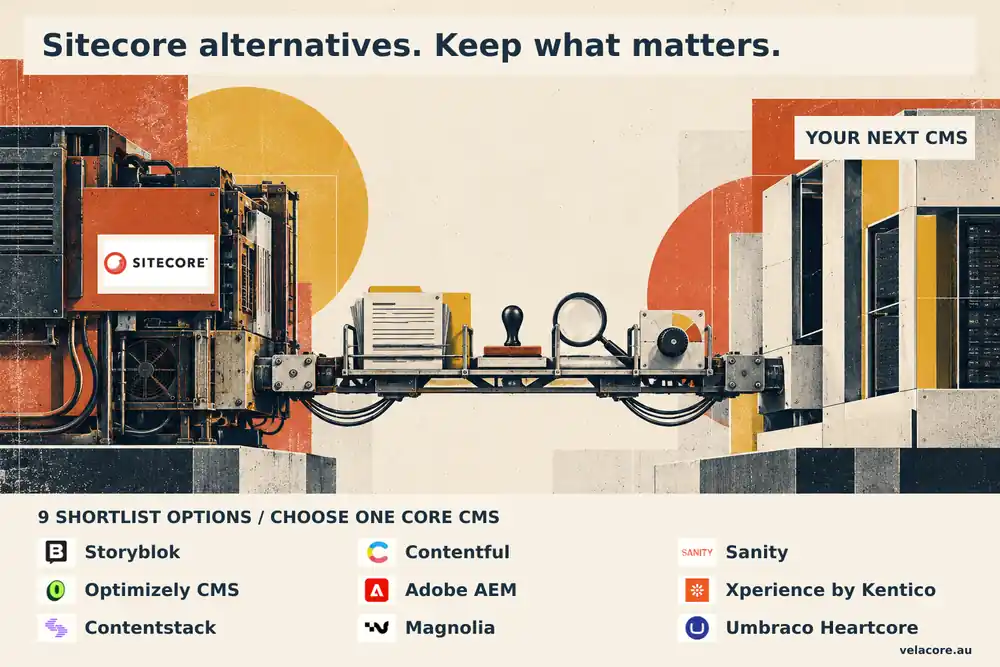
Compare Sitecore alternatives by the capabilities you need to keep, the work you will inherit and where your content actually lives.
Your Sitecore renewal is approaching. Marketing wants easier publishing, developers want a cleaner delivery stack and finance wants a cost it can explain. A list of attractive CMS logos will not settle those competing priorities.
The strongest Sitecore alternatives for Australian teams include Storyblok, Contentful, Sanity, Optimizely CMS, Adobe Experience Manager, Xperience by Kentico, Contentstack, Magnolia and Umbraco Heartcore. Choose between them by the editing, content, marketing and operating capabilities your organisation needs. A headless CMS can replace content management without replacing every part of a digital experience platform.
Replace the platform. Do not accidentally remove the capabilities the business relies on.
- Sitecore’s transition guidance says existing XM Cloud customers do not need to replatform to use SitecoreAI. Establish which Sitecore product you are actually replacing.
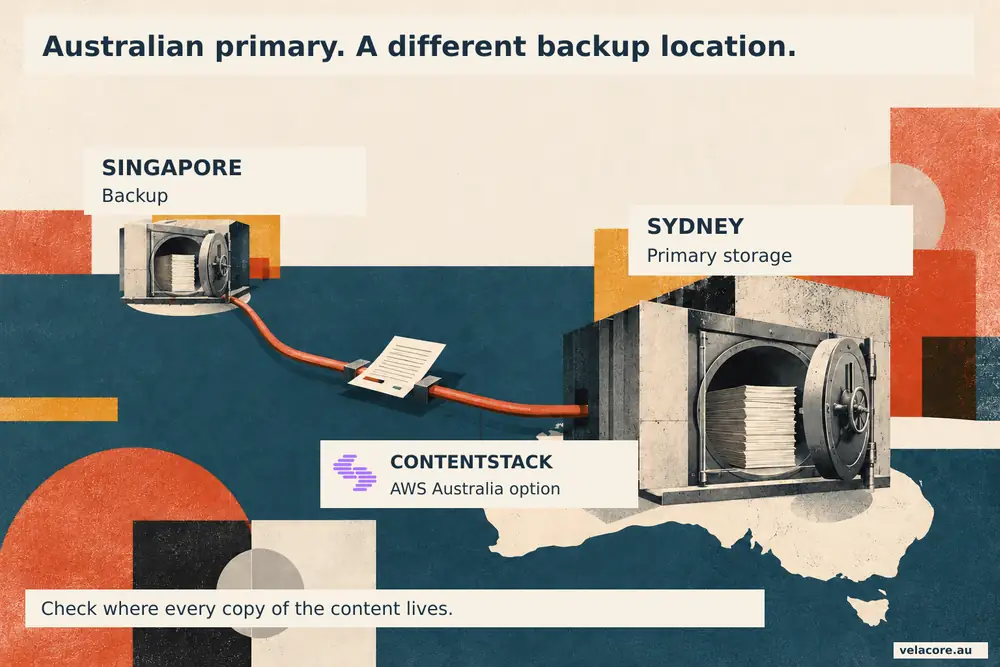
- Contentstack’s regional documentation specifies Sydney primary storage and Singapore backup for its AWS Australia option. An Australian region label does not answer every storage question.
- Sanity Growth lists US$15 per seat per month. Ten seats work out to US$150 monthly before additional usage and services, illustrating why the charging unit matters as much as the headline price.
Start with the Sitecore capabilities you actually use
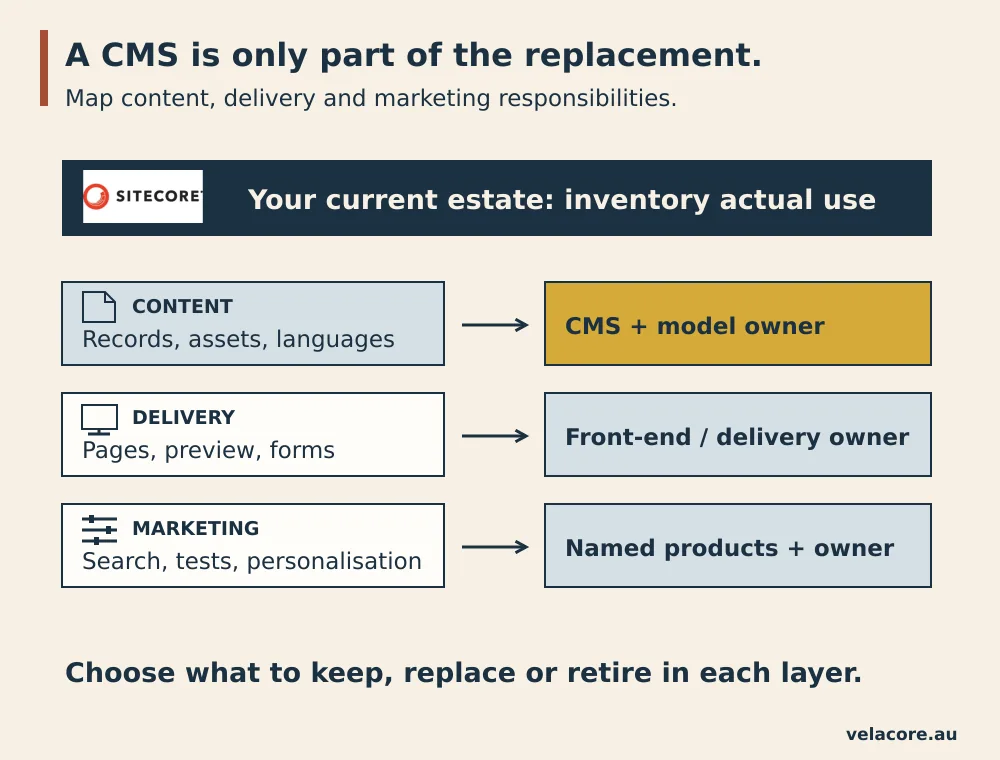
Identify the current product, customisations and active business journeys before comparing replacements. Sitecore XM/XP, a customised older estate and the SaaS platform now presented as SitecoreAI are different starting points.
Sitecore’s official FAQ explains the transition from XM Cloud to SitecoreAI and states that XM/XP continue to be supported. An existing XM Cloud customer considering AI features faces a different decision from a team rebuilding a heavily customised XP application. Our Sitecore platform guide explains the broader product landscape.
Build a short capability inventory. For each function, record its owner, current use, integrations and what would fail if it disappeared:
- Content: reusable records, assets, languages, approval rules and publishing history.
- Delivery: page templates, front ends, preview, forms, search and accessibility.
- Marketing: personalisation, experiments, audience data, consent and campaign automation.
- Operations: identity, environments, monitoring, recovery, support and release ownership.
A campaign site that mainly uses publishing may suit a different platform from a multi-brand operation using customer profiles and personalised journeys. The useful question is not “Which CMS has the longest feature list?” It is “Which arrangement covers the jobs we need, with a team that can run it?”
Compare nine Sitecore alternatives by their best-fit role
Use the following comparison to form a shortlist, then test it against your own content and operating requirements. The fit statements are our evaluation guidance, rather than a market-share ranking or a claim that one product wins every scenario.
| Platform | Shortlist when | Verify in the pilot |
|---|---|---|
| Storyblok | Visual page composition matters alongside API delivery | Real components, preview, releases and the required workflow tier |
| Contentful | Structured content spans brands, teams and channels | Spaces, environments, localisation and product entitlements |
| Sanity | The content model and editing workspace need custom control | Schema, references, Presentation setup and publishing permissions |
| Optimizely CMS | Content delivery must connect with an experimentation programme | The CMS edition, Graph, experiments and their separate scope |
| Adobe Experience Manager | A substantial Adobe-based content and asset operation is in place | Sites delivery, asset requirements and Target integration |
| Xperience by Kentico | Content and connected marketing tools need a .NET foundation | Channels, automation tier, contact data and migration work |
| Contentstack | Composable content operations need managed workflows and automation | Visual editing, integrations, plan scope and primary/backup locations |
| Magnolia | Visual authoring and integration control matter to a Java-capable team | SPA editor bindings, templates and the operating model |
| Umbraco Heartcore | Managed headless content delivery suits the team’s Umbraco experience | Front-end responsibility, service limits and Heartcore-specific hosting |
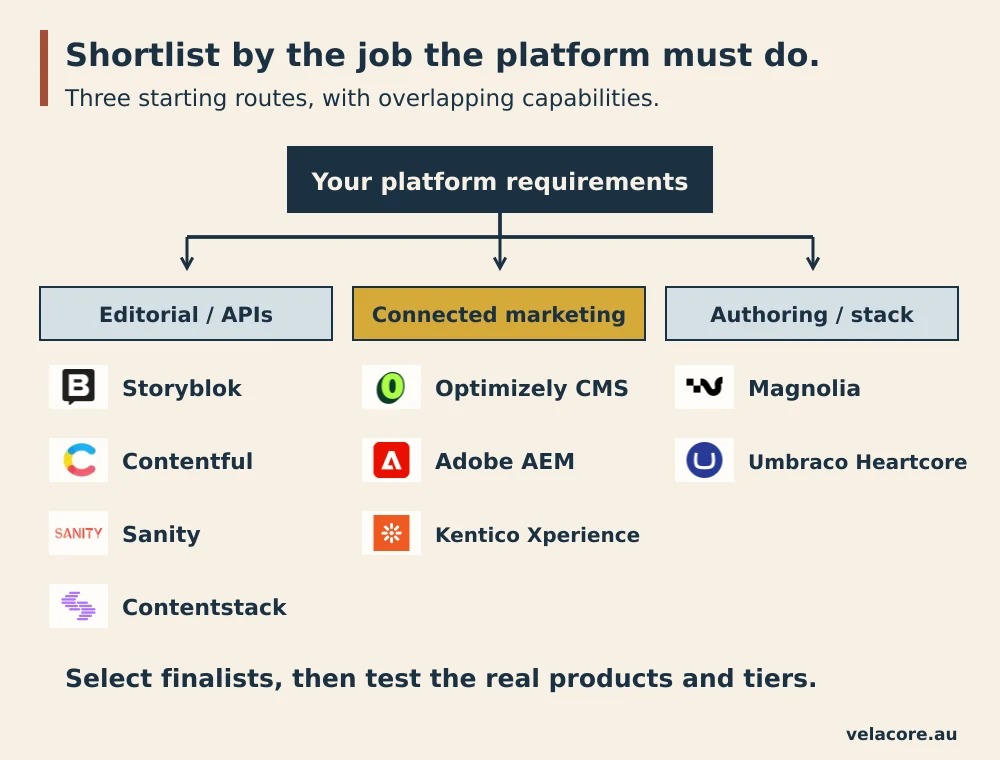
Headless CMS alternatives: choose how editors and developers work together
A headless CMS separates content management from the presentation code that displays it. That gives you more choice over the front end, while making preview, deployment and integration ownership explicit design decisions.
Storyblok: visual editing built around reusable components
Storyblok is worth testing when editors want to assemble and preview pages while developers control the component system. Its Visual Editor supports editing through the preview and inspecting different screen sizes.
Bring a real campaign page to the demonstration. Ask an editor to rearrange an approved section, change its content and check the mobile result. Then test the release and permission model on the proposed plan. Storyblok’s plan comparison places custom workflows and other governance capabilities in its enterprise offerings; a successful free trial does not establish the final entitlement.
Contentful: structured content across teams and channels
Contentful suits a shortlist where the organisation needs reusable content across several experiences. Evaluate how spaces, environments, references and localisation match the operating model, rather than assuming that one space should hold everything.
The current product and plan structure also includes Personalization and Studio options. Describing Contentful as content APIs with no visual or personalisation offering is too simplistic. Ask the supplier to separate the CMS, visual composition and personalisation products in its proposal, and demonstrate how editors move between them.
Sanity: a configurable content model and editing workspace
Sanity is a strong candidate when the content relationships are central to the project: services reused across markets, products referenced by multiple channels or editorial records with specific validation rules. Developers configure the schemas and Studio experience around that model.
Its visual-editing documentation explains the Presentation Tool and the connection to the front end. Test that setup with your own preview and publishing process. Flexibility is valuable when someone owns the configuration; it is less useful when every content change waits for an undocumented customisation.
For a deeper comparison of these two structured-content approaches, read Contentful versus Sanity.
Contentstack: content workflows connected to the wider stack
Contentstack belongs on the shortlist when publishing depends on repeatable approval and integration work. Its documentation covers workflow stages and automation from the Visual Editor.
Test a real trigger, approval and downstream action. Who can configure the automation, what happens on failure and which service owns recovery? Those answers distinguish a useful workflow from an impressive demonstration. Include the regional deployment question below in the same evaluation.
DXP alternatives: evaluate the connected products, not the umbrella name
A digital experience platform, or DXP, combines content with broader experience capabilities. The important distinction is which products, integrations and licences make those capabilities work in the configuration being quoted.
Optimizely CMS: connect publishing with a real testing programme
Optimizely is worth evaluating when content and experimentation need to work together. Its documentation distinguishes CMS editions and other platform products; the SaaS CMS uses Visual Builder and reusable blueprints.
Specify the CMS edition and experimentation product in the proposal. Ask the team to demonstrate one test from content approval through audience allocation to reporting. A CMS licence, an experiment design and an operating testing programme are three different things.
Adobe Experience Manager: fit the existing Adobe operating model
Adobe Experience Manager is a sensible comparison when the organisation already has substantial Adobe content, asset and marketing requirements. Ask which Sites delivery approach and asset services the proposal includes, and which your organisation genuinely needs.
Adobe documents AEM’s integration with Target as configuration work involving the relevant accounts and services. Do not treat the Adobe name as proof that every analytics, personalisation or campaign capability is included in one CMS purchase. The team needs to show the connections, permissions and responsibility for maintaining them.
Xperience by Kentico: connected content and marketing for .NET teams
Evaluate the current Xperience by Kentico product, rather than treating it as interchangeable with an older Kentico installation. Its marketing documentation covers contacts, campaigns, forms, emails and personalisation.
This can suit a team that wants content and marketing functions closer together on a familiar development foundation. Confirm the edition: the documented automation functionality requires the Advanced licence tier. Test the actual customer journey, contact handling and approval requirements rather than relying on a checklist headed “marketing included”.
Need help turning this into a shortlist? Discuss your CMS requirements with Velacore and bring the current platform, capability inventory and operating constraints.
Hybrid and Umbraco options: keep the right kind of technical control
Developer familiarity can reduce unnecessary change, but it does not settle the editor experience, hosting arrangement or integration scope. Assess the authoring and delivery model alongside the technology skills already in the team.
Magnolia: visual authoring with an integration-oriented architecture
Magnolia is worth testing where a Java-capable team needs visual authoring and flexibility over connected systems. Its Visual SPA Editor connects page composition with front-end components; developers provide the bindings and authoring controls.
Use a representative page with nested components and shared content. Check what authors can change independently, which parts need development and how the resulting application is operated. Magnolia’s integration documentation provides a useful starting point for those responsibilities.
Umbraco Heartcore: managed content APIs with a separate front end
Heartcore offers managed headless delivery with an Umbraco authoring background. Its product FAQ explicitly describes a service without a presentation layer and provides JavaScript and .NET client libraries. The front end is still a project responsibility.
Distinguish Heartcore from Umbraco Cloud and self-hosted Umbraco CMS. The same FAQ specifies West Europe for Heartcore’s data hosting. A region available for another Umbraco product does not establish an Australian Heartcore deployment. That product-level distinction matters more than a reassuring brand-level hosting claim.
Compare licensing units before comparing CMS costs
Compare the plan, charging unit and required entitlements before comparing subscription totals. A price per seat, a bundle with included users and an enterprise contract do not describe the same purchase.
| Example plan | Published unit or allowance | What it means for the evaluation |
|---|---|---|
| Sanity Growth | US$15 per seat per month; up to 50 seats | Ten paid seats are US$150 monthly before extra usage and services. Check required roles, support and other entitlements. |
| Storyblok Growth | 5 seats included; up to 10 with additional seats | Use the intended editor count, then check whether workflows and identity requirements need a different plan. |
| Contentful Lite | 20 users, 3 roles and 3 locales | More languages or different governance requirements can change the plan even when the user allowance is sufficient. |
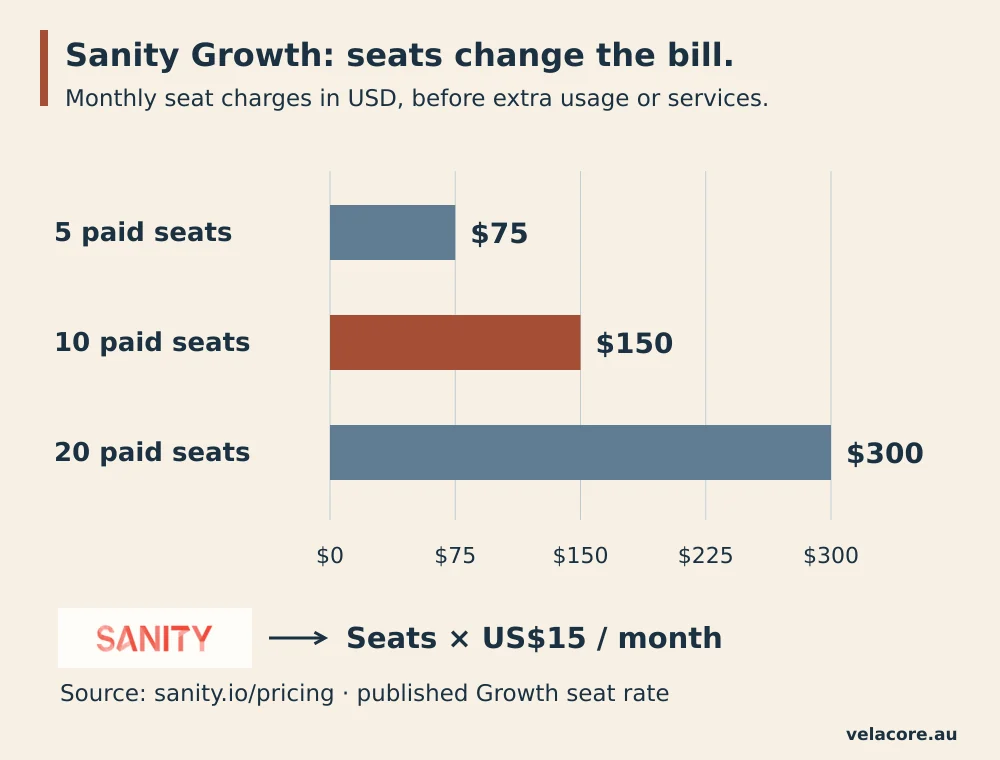
For the Sanity example, five seats are US$75 per month, ten are US$150 and twenty are US$300. That is a direct calculation from the listed seat rate, not a saving claim against Sitecore. The same pricing page lists up to 20 seats on Free, but its datasets are public and its role allowance is smaller. Required privacy and permissions can change the plan before user count does.
Build a three-year comparison covering implementation, licences, the front end, search, personalisation, identity, support, monitoring, recovery and exit. Include the period when old and new systems run together. An inexpensive CMS subscription can sit inside an expensive delivery arrangement.
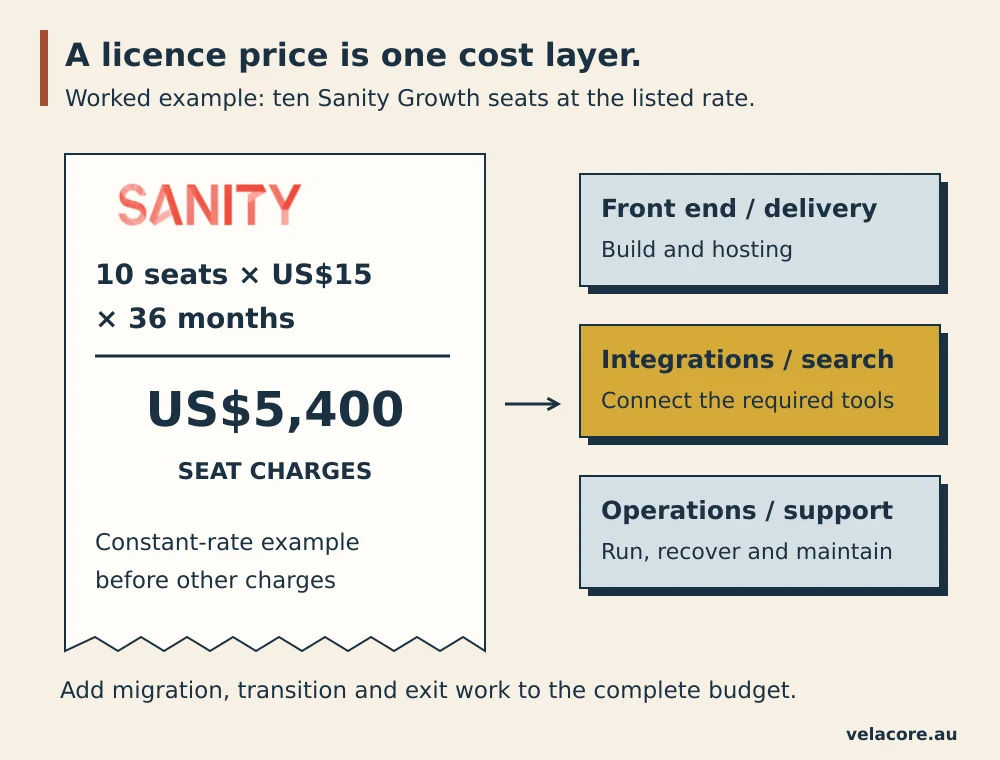
Ten Sanity Growth seats maintained at the listed rate for 36 months would total US$5,400 in seat charges. That arithmetic isolates one cost layer; it does not include a front-end build, usage overages, other services or future price changes. Use the same separation for each shortlisted platform.
Australian hosting: follow the content beyond the nearest CDN
Check primary storage, backups, logs, support access and AI processing separately from the location that serves a cached page. Fast delivery in Australia does not establish that every copy of the underlying data remains here.
| Documented service | What the provider states | Question to resolve |
|---|---|---|
| Contentstack AWS Australia | Sydney primary; Singapore backup | Does the complete storage and recovery arrangement meet your requirements? |
| Contentful | Default US residency, or its EU residency option; global CDN delivery | Which residency option, backups and processing locations are in the proposed contract? |
| Umbraco Heartcore | The product FAQ specifies West Europe data hosting and global Cloudflare caching | Are you evaluating Heartcore specifically, or another Umbraco deployment? |
Storyblok’s pricing FAQ adds another distinction: preferred data-centre selection is available on Premium and Elite, while its self-service plans do not contractually guarantee a specific location. Ask about the actual product and plan, not just whether the company has Australian customers.
For personal information, use the OAIC’s APP 8 guidance when your privacy team assesses overseas disclosures. Keep that assessment alongside the vendor’s documented data flows. A cloud region or security certification is not a substitute for reviewing the organisation’s own obligations.
Run a pilot that exposes the work behind the demonstration
Use a representative content journey to test the shortlist before committing to a migration. The pilot should reveal how an editor works, what developers must configure and how an approved change reaches the real delivery channels.

Give each candidate the same five tasks:
- Model one real content type: use a service or product with shared references, images and more than one language.
- Edit and preview: have the intended editor correct a fact and check its desktop and mobile presentation.
- Approve and publish: test a reviewer, a restricted contributor and the actual publishing route.
- Recover: restore the agreed content state and test what happens when a downstream build or webhook fails.
- Export: extract the record, relationships and assets, then explain what another system would need to reconstruct them.
Record the result, the manual steps, the required plan and who owns each remaining task. If the demonstration only succeeds with the vendor’s specialist operating it, find out what your team would need to achieve the same result.
Ask who will make the next ordinary correction after the implementation team has left. They need to find the approved record, understand its references, preview its impact and publish through the right permissions. That is a stronger buying test than the first polished demo.
Velacore’s own marketing website and WordPress blog use separate publishing layers with connected navigation and article previews. Maintaining that arrangement makes the boundary practical: choosing a content system does not remove the need to own delivery, URLs and operations. Our websites and platforms work starts with those responsibilities.
Plan the Sitecore migration around evidence, not a universal timeline
A Sitecore migration needs a content model, a delivery plan and an acceptance route. Its duration follows the actual content, integrations, approvals and rollout requirements; a product name does not supply a reliable schedule.
Inventory templates, records, assets, languages, forms, personalisation rules and important URLs. Decide which capabilities to keep, replace or retire. Run a small import with representative relationships before scheduling the full transfer.
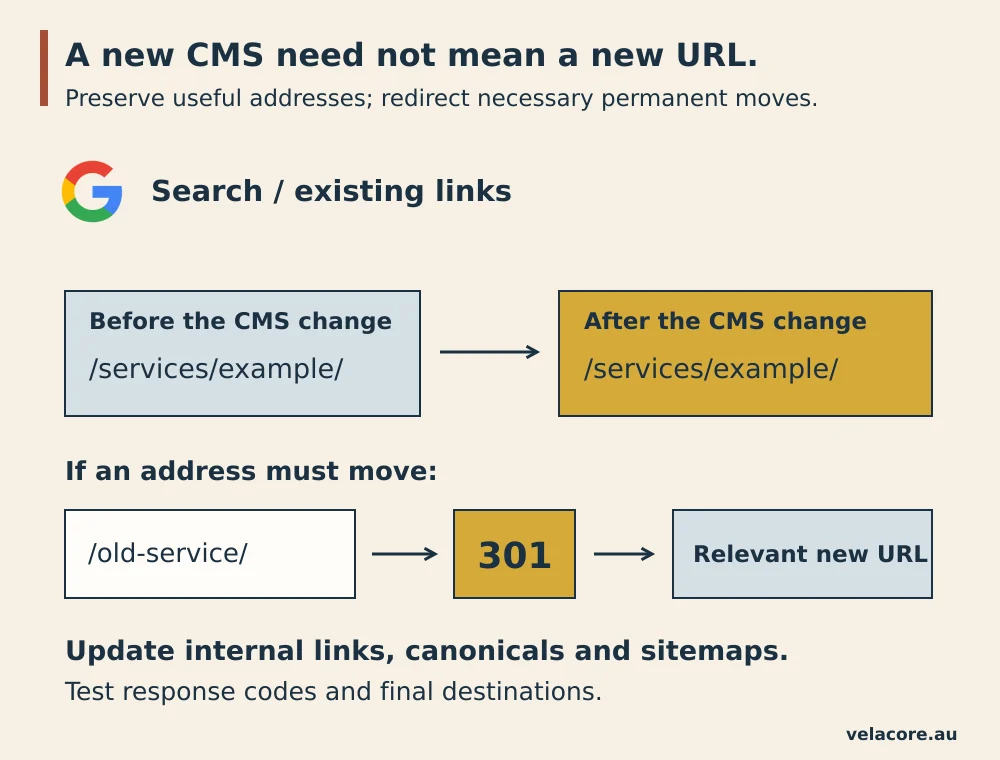
A new CMS does not automatically require new public addresses. Preserve useful URLs where practical; when a permanent move is needed, map each old address directly to its relevant destination and update internal links, canonicals and sitemaps. Google’s site-move guidance covers the preparation, testing and monitoring involved.
- Agree content and editorial ownership, including language fallbacks and approvals.
- Test preview, forms, search, analytics, accessibility and the important customer journeys.
- Define the content freeze or final synchronisation, launch sequence and recovery route.
- Keep the old environment available for the agreed transition period, then retire it and its costs deliberately.
For multi-market publishing, our headless CMS localisation guide examines the approval and fallback decisions that a bulk content import cannot make for you.
Common mistakes when choosing Sitecore alternatives
The expensive selection mistake is replacing a well-understood platform with an incompletely specified collection of services. Make the new responsibilities visible before treating the licence difference as a saving.
- Assuming the headless CMS also replaces search, personalisation, customer data and campaign delivery.
- Comparing entry-plan prices while the required governance lives in an enterprise contract.
- Treating a local CDN or a vendor’s Australian office as proof of Australian data residency.
- Moving unreviewed content and legacy components simply because they can be exported.
- Choosing on an AI demonstration without testing permissions, approval, rollback and content quality.
A simpler platform should simplify the operating model, not hide the work in another contract.
Your final CMS shortlist checklist
Choose the finalists only when you can name the required capabilities, show a successful editorial pilot, document the data locations and compare the full operating cost. Keep a written decision trail explaining the trade-offs.
- The proposed products and licence tiers cover the actual requirements.
- Editors can complete the representative tasks with the intended permissions.
- The team understands content, preview, front-end and integration ownership.
- Storage, backups, support and processing locations have been reviewed.
- The migration, URL handling, recovery and exit arrangements are documented.
For Australian organisations evaluating Sitecore alternatives, that evidence is more useful than a universal “best CMS” ranking. Talk to Velacore about your CMS shortlist and migration scope to turn the requirements into a practical platform decision.
Frequently asked questions about Sitecore alternatives
What is the best Sitecore alternative for an Australian enterprise?
Choose by the capabilities and operating requirements. Storyblok, Contentful, Sanity and Contentstack suit different composable-content needs. Optimizely, Adobe and Kentico warrant comparison for connected experience requirements, while Magnolia and Umbraco offer other authoring and technical models. Test the actual edition, plan and workflow rather than choosing a universal winner.
Is SitecoreAI the same as moving from Sitecore XP to a new CMS?
No. Sitecore says existing XM Cloud customers do not need to replatform to use SitecoreAI. A move from a customised XM/XP estate has different content, rendering and integration requirements. Establish the current product and architecture before comparing an internal transition with an external migration.
Are headless CMS alternatives cheaper than Sitecore?
They can change the licence and operating costs, but a smaller subscription does not establish a lower total. Include front-end work, search, personalisation, integrations, hosting, support and migration. Compare the required plan and a common operating period; the article’s Sanity seat example isolates licensing rather than estimating a whole enterprise implementation.
Which platforms offer Australian data residency?
Check the product and contract. Contentstack documents Sydney primary storage with Singapore backup for AWS Australia. Contentful publishes US and EU options, while Heartcore’s FAQ specifies West Europe. Review backups, logs, support and processing as well as primary storage; delivery through an Australian CDN is a different question.
Can a .NET team use a headless CMS?
Yes. A headless CMS delivers content through APIs; the front-end and application choices are separate from the authoring service. Heartcore documents both JavaScript and .NET client libraries. Also assess whether a .NET-based product such as Xperience by Kentico better matches the team’s content and marketing responsibilities.
Does choosing a modern CMS automatically improve SEO or AI visibility?
No. The implementation still needs crawlable pages, useful content, internal links, accurate metadata and reliable delivery. A migration must preserve useful URLs or provide relevant permanent redirects. AI features can support content work, but the platform name does not guarantee rankings or citations.
How long does a Sitecore migration take?
Build the schedule from a representative pilot and the actual inventory. Content relationships, languages, front-end rebuilding, integrations, approval cycles and launch constraints determine the work. Ask for milestones, dependencies, acceptance criteria and named owners rather than accepting a generic duration for every Sitecore estate.
Can we replace Sitecore in stages?
Yes, when routing, content ownership, identity and shared integrations support the transition. Start with a bounded site or journey, agree which system owns each record and public URL, and test navigation and measurement across the boundary. Plan final synchronisation and retirement so two platforms do not become a permanent accidental cost.